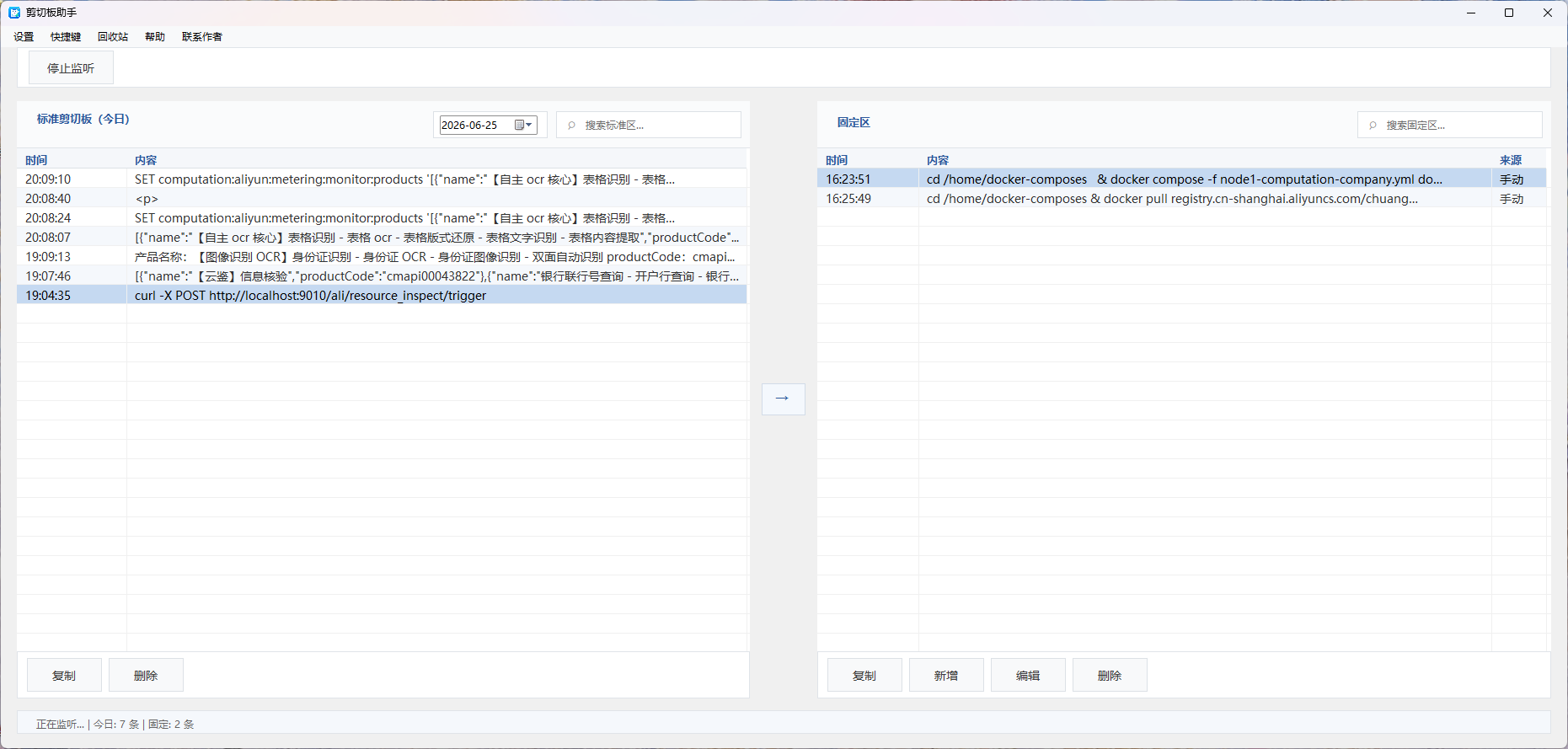
Click the screenshot to zoom in
ClipDog monitors every copy action on your computer in real time and records the history automatically, so you can always retrieve a text or link you copied before and re-paste it with one click.
Click the screenshot to zoom in
Windows' built-in clipboard only handles simple copy needs. When you copy lots of code, links, account info and document content, what you copied earlier is easily lost. ClipDog automatically saves your copy history, giving your computer long-term memory.
Auto-save copy history / Quick search copied content / One-click re-paste / Local storage protecting privacy
Every Ctrl+C is recorded automatically — no manual saving needed, texts and links are stored silently.
Type a keyword to quickly find text you copied days ago, free from worry about overwriting or losing content.
Once you find what you need, restore and use it directly without re-copying the same content repeatedly.
Data is saved on your machine, never uploaded to the cloud. Your data stays yours.
| Feature | ClipDog | Windows Win+V |
|---|---|---|
| Copy history | ✅ | ✅ |
| Long-term storage | ✅ | Limited |
| Quick search | ✅ | Basic |
| Runs locally | ✅ | ✅ |
| Lightweight | ✅ | ✅ |
| Office efficiency focus | ✅ | ❌ |
Current version v1.0.0 · choose your system and architecture
b001758a35607ffbf857d40ab8fbd846e08e6e910bdc69b17d7721896d44ede4下载链接有时效,请通过验证码获取。
becd4968fbfffb627e7dfa1a505018432b43b063617763b4443a1fbbcd2b1cbe下载链接有时效,请通过验证码获取。
Every release makes ClipDog a little better.
ClipDog is software that records your computer's copy history, saving text and links you copied before.
Yes. Windows has a built-in clipboard history feature; ClipDog provides more convenient long-term management and search.
Yes. Copied content is stored locally on your computer and never uploaded to a server.
Yes, as long as the history hasn't been deleted, you can search and reuse it.
Enter the code in the image (if it is a math problem, fill in the result), then click "Download" to get the installer.